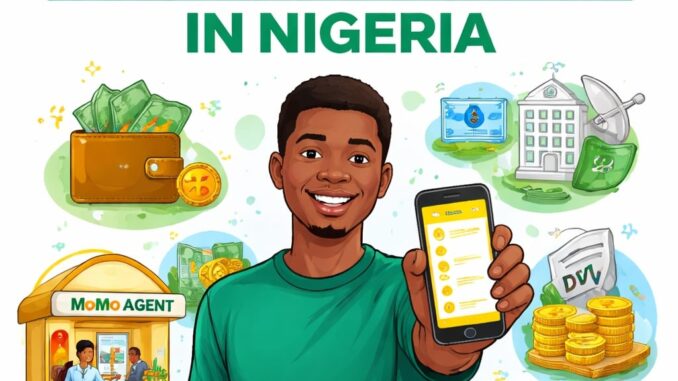
Digital payments are becoming more popular in Nigeria, and MTN Mobile Money—also known as MTN MoMo or MoMo PSB—is one of the easiest ways to send, receive, and manage money using your mobile phone. With MTN Mobile Money, you don’t need a traditional bank account to perform basic financial transactions. All you need is an MTN line and a registered wallet.
In this blog post, you’ll learn how to use MTN Mobile Money in Nigeria, from registration to daily transactions such as transfers, bill payments, and cash withdrawals.
What Is MTN Mobile Money?
MTN Mobile Money is a mobile wallet service provided by MTN Nigeria through MoMo Payment Service Bank (PSB). It allows users to store money digitally and perform transactions using USSD codes or a smartphone app. The service is designed to make financial services accessible, especially for people without bank accounts or those who prefer simple mobile transactions.
How to Register for MTN Mobile Money in Nigeria
To use MTN Mobile Money, you must first register and activate your wallet.
Option 1: Register Using USSD
This is the easiest and most common method.
- Dial
*671#on your MTN line. - Select Register from the menu.
- Enter your personal details as prompted.
- Create a 4-digit MoMo PIN.
- Confirm your PIN to complete registration.
Once registration is successful, your MTN Mobile Money wallet will be activated instantly.
Option 2: Register Using the MoMo App
- Get the MTN MoMo PSB App from Google Play Store or Apple App Store.
- Open the app and sign up with your MTN phone number.
- Verify your number using the OTP sent to you.
- Create a secure PIN.
How to Fund Your MTN Mobile Money Wallet
After registration, you need money in your wallet to perform transactions. There are several ways to fund your MoMo wallet.
1. Bank Transfer
You can transfer money from your bank account to your MoMo wallet. Your MTN number serves as your wallet account number. Once the transfer is completed, the money reflects instantly or within a few minutes.
2. Deposit Through a MoMo Agent
Visit any MTN Mobile Money agent near you:
- Give the agent cash
- Provide your MTN number
- The agent credits your wallet immediately
3. Receive Money from Another User
Other MoMo users can send money directly to your wallet using your MTN phone number.
How to Send Money with MTN Mobile Money
Sending money with MTN Mobile Money is fast and simple.
- Dial
*671# - Select Transfer
- Choose To MoMo User or To Bank Account
- Enter the recipient’s phone number or bank details
- Enter the amount
- Confirm with your MoMo PIN
The recipient receives the money instantly.
How to Pay Bills and Buy Airtime/Data
MTN Mobile Money allows you to handle everyday payments directly from your wallet.
You can:
- Buy MTN airtime and data
- Pay electricity bills
- Pay DSTV, GOtv, and other TV subscriptions
- Pay selected merchants and services
Simply dial *671#, choose Pay Bills or Airtime/Data, select the service, enter the amount, and confirm with your PIN.
How to Withdraw Cash from MTN Mobile Money
If you need physical cash, you can withdraw money through a MoMo agent.
Steps:
- Visit a nearby MTN Mobile Money agent
- Tell the agent the amount you want to withdraw
- Provide your MTN number
- Confirm the transaction with your PIN
- Collect your cash
Withdrawal fees may apply depending on the amount.
Benefits of Using MTN Mobile Money
MTN Mobile Money offers several advantages:
- No bank account required
- Fast and secure transactions
- Available 24/7
- Easy bill payments
- Wide network of MoMo agents across Nigeria
- Convenient for rural and urban users
Security Tips for Using MTN Mobile Money
To stay safe while using MTN Mobile Money:
- Never share your MoMo PIN with anyone
- Avoid performing transactions on unsecured phones
- Report suspicious activity immediately to MTN customer care
- Always confirm transaction details before approving
Conclusion
MTN Mobile Money is a reliable and convenient digital payment solution for Nigerians. Whether you want to send money, pay bills, buy airtime, or withdraw cash, MTN MoMo makes it simple using either USSD or a mobile app. By following the steps in this guide, you can easily register, fund your wallet, and start enjoying cashless transactions anytime, anywhere.
If you’re looking for a simple way to manage money without stress, MTN Mobile Money is a smart choice.
Leave a Reply