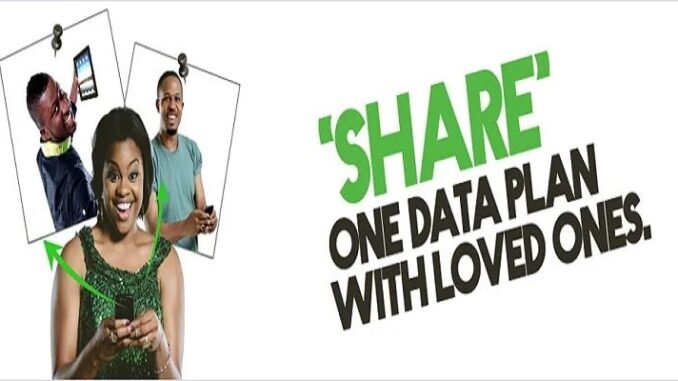
Glo (short for Globacom) is one of Nigeria’s major mobile network providers, well known for its affordable data plans and flexible features. One useful convenience Glo offers its customers is the ability to share or transfer internet data from your data bundle to other Glo users. This means you can help family or friends stay connected using your plan without having to buy separate bundles for them every time.
There are two main ideas to understand:
- Data Sharing (EasyConnect/EasyShare) – This lets another Glo number use your existing active data plan. They browse using your data bundle as long as the plan is active.
- Data Transfer/Gifting – This sends a portion or full data plan from your balance to another Glo number (like giving them data as a gift).
Both methods work only between Glo numbers — you cannot share data with users on other networks (like MTN or Airtel) directly.
Basic Requirements Before You Share
Before you can share data:
- You must have an active Glo data plan.
- The recipient must also be a Glo subscriber with a Glo number.
- Ensure your data plan supports sharing (some promo plans may not).
Method 1 — Share Data via USSD Codes
This is usually the quickest and most commonly used way to share data.
Step-by-Step (Direct USSD)
- Open your phone’s dialer.
- Dial
*127*01*RecipientNumber#.- For example:
*127*01*08051234567#. - Replace “08051234567” with the Glo number of the person you want to share data with.
- For example:
- Send the code.
- You will receive a confirmation text that the data sharing setup is successful. The other person will also get a message and can start using your data.
That’s it — the recipient can now browse using your data plan as long as your plan is active. Once your plan expires, the shared access ends.
Method 2 — Share Data via USSD Menu (*777#)
If you prefer a menu and options instead of typing codes:
- Dial
*777#on your Glo phone. - From the menu, select “Data.”
- Choose “Share Data Plan” or similar.
- Select “Share” (not transfer/gift if you want them to use your current bundle).
- Enter the recipient’s Glo number.
- Confirm and send.
After you confirm, both you and the recipient will get messages. The shared number starts using data right away.
Method 3 — Share Data via SMS
If USSD isn’t working or you’re in a low-signal area:
- Open your phone’s SMS app.
- Type:
Share RecipientNumber- Example:
Share 08051234567.
- Example:
- Send that message to 127.
You will get a confirmation text once that process has completed.
Data Gifting or Transfer
Sometimes you don’t want someone to temporarily use your data; instead, you want to send them a fixed bundle from your balance — like a gift.
Gift Data via USSD
- Dial
*777#. - Select Data → Gift Data.
- Enter the recipient’s Glo number.
- Choose the data amount (like 500MB, 1GB etc.).
- Confirm the gift.
The data will be taken from your airtime balance (not your existing data plan) and the recipient will get a data bundle added to their number.
Managing Shared Data
Once you’ve shared your data:
Check Who You’re Sharing With
You can find out the list of numbers you’ve shared with:
- Dial
*127*00#— shows all shared numbers. - Or send “List” to 127.
How to Stop Sharing Data
If someone is using your data too much or you just want to remove them:
- Dial
*127*02*TheirNumber#.- Example:
*127*02*08051234567#.
- Example:
- OR send a message: “Remove RecipientNumber” to 127.
You’ll get a confirmation once they’re removed.
Important Things to Know
Here are some helpful facts about Glo data sharing:
- Only Glo-to-Glo: You cannot share data with friends on other networks like MTN or Airtel.
- Active Plan Required: Sharing works as long as your plan hasn’t expired — shared access ends when your plan runs out.
- No Extra Fee: Generally, Glo doesn’t charge extra to share data — it’s simply letting someone use your plan.
- Limits: Some promo plans may have sharing restrictions — always check your plan’s details.
- Confirmation Messages: After each step (share or gift), you’ll receive SMS confirmations so you know it worked.
Final Tips
Let people know how much data they’re using so you don’t accidentally run out.
If sharing stops working, check your plan expiry or data balance.
Use SMS method if USSD menus are slow or unavailable.
Gifting is ideal for giving a fixed amount without letting someone use your full plan.
Leave a Reply