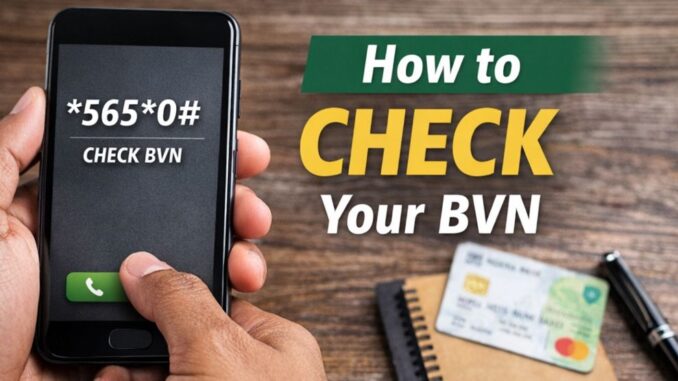
Your Bank Verification Number (BVN) is one of the most important numbers linked to your bank account in Nigeria. It acts as your unique identity in the banking system and helps protect your accounts from fraud. But let’s be honest — most people don’t memorize their BVN, and you rarely need it until a bank, loan app, or financial service suddenly asks for it.
The good news? You don’t have to visit a bank or search through old paperwork to find your BVN. You can easily check it right from your mobile phone using a simple USSD code.
In this guide, we’ll show you how to check your BVN quickly and safely.
What Is a BVN?
The Bank Verification Number (BVN) is an 11-digit number issued by the Central Bank of Nigeria through the Nigeria Inter-Bank Settlement System (NIBSS). It links all your bank accounts together and stores your biometric and personal information securely.
Your BVN helps banks:
- Verify your identity
- Prevent identity theft
- Track fraudulent activity
- Protect your money
Because it is tied to your biometric data, every person has only one BVN — no matter how many bank accounts they own.
Why You Might Need Your BVN
You may be asked to provide your BVN for many reasons, including:
- Opening a new bank account
- Applying for a loan
- Registering for financial apps
- Resolving banking issues
- Updating your bank details
Instead of guessing or panicking, you can retrieve it instantly using your phone.
The USSD Code to Check BVN
The official USSD code to check your BVN in Nigeria is:
*565*0#
This code works on all major mobile networks in Nigeria — MTN, Airtel, Glo, and 9mobile — as long as the phone number you’re using is the same one linked to your bank account.
Step-by-Step: How to Check Your BVN
Follow these simple steps:
Step 1: Use Your Registered Phone Number
Make sure you are using the phone number connected to your bank account. The service will not work with an unregistered number.
Step 2: Open Your Phone Dialer
Go to your phone’s call dial pad.
Step 3: Dial the Code
Enter:
*565*0#
Then press the call button.
Step 4: Wait for the Response
After a few seconds, your 11-digit BVN will appear on your screen.
That’s it — no internet required.
Service Fee for Checking BVN
Checking your BVN using the USSD code is not free. A small service charge (usually around ₦20) will be deducted from your mobile airtime balance.
Make sure you have enough airtime before dialing the code.
Important Things to Note
Before using the BVN USSD service, keep these key points in mind:
Use Only Your Own Phone Number
The system only works if the number you dial from is linked to your BVN. If you recently changed your number at the bank, make sure your records are updated.
Keep Your BVN Private
Your BVN is sensitive financial information. Do not share it with strangers or post it online. Only provide it to trusted banks or official financial services.
No Smartphone Needed
This service works on both smartphones and basic phones. It doesn’t require mobile data or internet access.
What If the Code Doesn’t Work?
If you dial *565*0# and don’t receive your BVN, here are possible reasons:
- The phone number is not linked to your BVN
- You don’t have enough airtime
- There is a temporary network issue
If the problem continues, visit your bank branch to update your phone number or request assistance.
Can You Check BVN Online?
Some banks may show your BVN inside their mobile apps or internet banking platforms after login. However, the USSD method remains the fastest and most convenient option when you don’t have internet access.
Safety Tips When Using BVN Services
To protect your financial information:
✔ Never share your BVN with random callers
✔ Avoid entering your BVN on suspicious websites
✔ Use only official bank channels
✔ Delete SMS messages containing your BVN if others use your phone
Treat your BVN the same way you treat your ATM PIN — keep it confidential.
Final Thoughts
Your BVN is a key part of your banking identity, and it’s important to know how to access it when needed. Thankfully, Nigeria’s banking system makes it easy. By dialing *565*0# from your registered phone number, you can quickly retrieve your BVN anytime, anywhere.
No bank queues. No paperwork. No internet required.
Just remember to keep it safe and use it only when necessary. With this simple USSD code, you’ll always have your BVN at your fingertips whenever you need it.
Leave a Reply