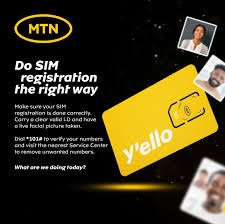
SIM registration is required by law and enforced by the Nigerian Communications Commission (NCC). Every MTN SIM must be linked to your National Identity Number (NIN) and verified before it’s fully active. Without successful registration, a SIM can be barred, restricted, or eventually disconnected.
This system helps improve security, reduce fraud, and ensure that phone users are identifiable on the network. MTN states that SIM registration is free — MTN will not ask for money to register your SIM. Any request for payment is likely fraudulent.
What You Need for MTN SIM Registration
To register a new MTN SIM or update your registration, you’ll typically be required to present identification and personal information for verification. The exact requirements can vary slightly depending on the type of SIM and your situation (new SIM, visitor SIM, etc.), but the basics are:
1. National Identification Number (NIN)
- The NIN is mandatory for all Nigerian citizens who want to register a SIM on the MTN network.
- You must provide your 11-digit NIN or the official NIN slip from the National Identity Management Commission (NIMC).
- Your details will be checked against the NIMC database to confirm identity before the SIM is fully linked.
2. Valid Personal Identification
You may need to provide one of the following:
- National ID card
- International passport
- Voter’s card
- Driver’s license
The main focus, however, is on linking your NIN to the SIM.
3. Proof of Address (Sometimes)
Some registration points ask for proof of residence, such as a utility bill or another official document showing your address. This depends on the registration center.
4. Biometric Verification
At some locations, you may be asked to provide biometric data such as fingerprints or facial capture so that your identity can be confirmed on the spot. This is part of official verification in some regions.
Step-by-Step SIM Registration Process
Here’s what happens when you register a SIM card with MTN:
1. Visit an MTN Registration Point
Go to an MTN store, authorized MTN service centre, or registered SIM registration point. These are official outlets where MTN staff are trained to handle SIM registration properly.
2. Complete the Registration Form
When you arrive, you’ll be given a SIM registration form to fill out. You’ll need to write down:
- Full name
- Date of birth
- Address
- Contact information
Be sure the details you provide match those on your ID and NIN record. Errors here can cause delays or mismatches.
3. Present Your ID and NIN
You’ll hand over your NIN slip or NIN number and valid ID to the MTN representative. They will check your details and continue with the registration.
4. Biometric Capture
Staff may take biometric data from you — usually fingerprints and a photo — to verify your identity securely. This is part of official security measures and may depend on your registration point.
5. SIM Activation
Once your details are entered and verified with the NIMC database, the MTN representative will process the SIM registration.
After this, your SIM should be activated and ready for use. You may need to make a revenue generating event, like making a call or using data, soon after activation for the SIM to fully register on the network.
How to Register a SIM If You’re a Visitor
MTN offers a Visitor’s SIM Plan for people from outside the country. To register this kind of SIM, you typically need:
- Your international passport
- Return ticket or travel document
- Visitors must still complete a SIM registration, which is done with MTN staff before using the line.
Common Things to Know
Registration is Free
MTN has explicitly stated that SIM registration should not cost you money. If anyone asks for payment to register a SIM, they’re not acting on behalf of MTN.
Linked NIN Must Be Verified
If your NIN is not verified or is mismatched, your MTN SIM may be barred from making calls or sending messages until the issue is resolved. Make sure the name and details on your SIM match those on your NIN record.
What Happens If You Don’t Register
Failing to register or link your NIN properly can lead to your phone number being blocked or disconnected. The regulatory body enforces these rules to improve security and compliance.
Tips for a Smooth Registration
- Double-check your details before submitting the SIM registration form. Mistakes in names, birth dates, or addresses can slow verification.
- Bring all original documents — photocopies alone may not be accepted at some service centers.
- Ask staff to confirm that your NIN is verified in the system once registration is done. This helps make sure the SIM works without interruption.
- If your SIM has issues later (e.g., barred status), visit a service centre with your NIN and SIM for assistance.
Final Overview
MTN SIM registration is a mandatory process that ties your phone number to your identity so you can fully use voice, messaging, and data services. You need:
- Your NIN and a valid ID
- To fill out a form and complete verification
- To visit an official MTN outlet or registration point
Once this is done correctly and your NIN is verified, your SIM should activate normally and stay active on the MTN network
Leave a Reply