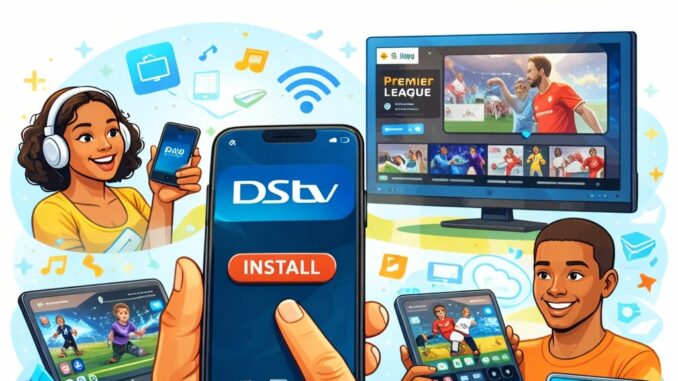
The way people watch television has changed, and DStv has adapted by offering a powerful streaming app that allows users to watch their favorite channels and shows anytime, anywhere. With the DStv Streaming App (formerly DStv Now), you no longer need to sit in front of your TV to enjoy live sports, movies, series, and kids’ content.
In this guide, you’ll learn what the DStv Streaming App is, how to get it, and how to set it up properly on different devices for a smooth streaming experience.
What Is the DStv Streaming App?
The DStv Streaming App is an official app from MultiChoice that allows active DStv subscribers to stream live TV channels, catch up on missed shows, and watch on-demand content using an internet connection.
With the app, you can:
- Watch live DStv channels
- Stream movies and series on demand
- Catch up on shows you missed
- Watch sports events live
- Stream on multiple devices (based on your subscription)
Devices Supported by the DStv Streaming App
The DStv Streaming App works on a wide range of devices, including:
- Android smartphones and tablets
- iPhones and iPads (iOS devices)
- Smart TVs (Android TV, Samsung, LG)
- Streaming devices (Apple TV, Chromecast)
- Computers (via web browser)
This flexibility makes it easy to watch DStv content wherever you are.
How to Get the DStv Streaming App
Get on Android Devices
- Open the Google Play Store
- Search for “DStv”
- Select the official DStv app
- Tap Install
- Wait for the it to complete
Get on iPhone or iPad
- Open the Apple App Store
- Search for “DStv”
- Tap Get
- Authenticate with Face ID, Touch ID, or password
- Allow the app to install
Get on Smart TVs
- Open your TV’s App Store
- Search for DStv
- Select and install the app
- Launch the app once installation is complete
Use on a Computer (No App Required)
You can stream DStv directly from your browser:
- Visit the official DStv streaming website
- Log in using your DStv account details
This option is perfect if you don’t want to install an app.
How to Set Up the DStv Streaming App
Once the app is installed, follow these steps to set it up:
Step 1: Launch the App
Open the DStv app on your device. You’ll see options to Sign In or Register.
Step 2: Sign In or Create an Account
- Sign in using your DStv account email/username and password
- If you don’t have an account, select Register
- Enter your details and link your DStv smartcard or customer number
Only active DStv subscriptions can access premium content.
Step 3: Link Your DStv Subscription
To unlock full content:
- Go to Settings
- Select Link Account
- Enter your Smartcard Number or Customer ID
This step is important to access channels based on your subscription package.
Step 4: Start Streaming
Once logged in:
- Browse Live TV, Catch Up, or On Demand
- Select a channel or show
- Tap Play and enjoy streaming
Internet Requirements for Smooth Streaming
For the best experience:
- Minimum speed: 5 Mbps
- Recommended: 10 Mbps or higher for HD
- Use Wi-Fi or stable mobile data
- Avoid background roaming while streaming
Higher internet speed ensures less buffering and better video quality.
Common Setup Issues and Solutions
App Not Opening
- Update the app to the latest version
- Restart your device
- Clear app cache (Android users)
Login Problems
- Confirm correct email and password
- Reset password if forgotten
- Ensure your DStv subscription is active
Buffering or Poor Quality
- Check internet connection
- Reduce streaming quality in settings
- Switch from mobile data to Wi-Fi
Benefits of Using the DStv Streaming App
- Watch DStv anywhere, anytime
- No decoder required for streaming
- Multiple device support
- Access to live sports and exclusive shows
- Easy setup and user-friendly interface
Conclusion
The DStv Streaming App is a convenient way to enjoy your favorite entertainment without being tied to a TV set. With just an internet connection and an active subscription, you can watch live channels, movies, series, and sports on your phone, tablet, smart TV, or computer.
By following this guide, you can easily get, set up, and start streaming on the DStv app in just a few minutes.
Leave a Reply