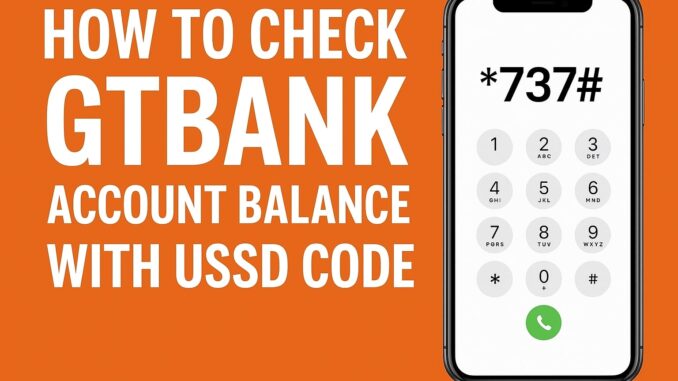
Staying updated with your bank account balance is important for managing your finances, preventing failed transactions, and tracking spending habits. For GTBank (GTB) customers in Nigeria, checking your account balance is extremely easy—thanks to the *737# USSD banking system.
Whether you’re using a small phone (torchlight), smartphone, or have limited internet connection, GTBank provides multiple ways to access your balance instantly.
This complete guide explains how to check your GTBank account balance using USSD, how to use other available methods, the requirements, common issues, and how to fix errors.
1. How to Check GTBank Account Balance Using USSD Code
The fastest and most reliable way to check your balance is through GTBank’s USSD code. This method works 24/7, even without internet.
USSD Code to Check GTBank Account Balance:
Dial 737*6*1#
Step-by-Step:
- Open your phone dialer.
- Dial *737*6*1#.
- Enter your 737 PIN when prompted.
- Your account balance will appear on the screen.
Requirements:
- You must dial the code using the phone number linked to your GTBank account.
- You must have created a 737 PIN.
- Your SIM must have network signal.
If You Have Not Created a 737 PIN:
Dial:
*737*5# → Follow instructions to create a 4-digit PIN.
2. How to Check GTBank Account Balance Using the GTWorld Mobile App
If you prefer using the internet or want a more detailed banking experience, the GTWorld app is perfect.
Steps:
- Get GTWorld from Google Play Store or Apple App Store.
- Open the app and log in using your
- GTBank ID,
- Phone number, or
- Email.
- Enter your password or biometric login.
- Your account balance will be displayed on the home dashboard.
Benefits of Using the App:
- View full statement
- See recent transactions
- Check multiple accounts
- Make transfers easily
- Buy airtime/data
3. How to Check GTBank Account Balance Through Online Banking (Internet Banking)
GTBank Internet Banking gives you the ability to check your balance securely from any browser.
Steps:
- Visit the official GTBank internet banking website.
- Log in with your User ID and Password.
- Navigate to Account Summary.
- Your balance will appear instantly.
Benefits:
- Can be used on laptop or desktop
- See complete financial overview
- Get your statements
4. How to Check GTBank Balance via ATM
This is useful if you don’t have access to USSD or internet.
Steps:
- Insert your GTBank ATM card into any ATM.
- Enter your PIN.
- Select Balance Inquiry.
- Choose either Savings or Current.
- Your balance will be displayed or printed.
5. How to Check GTBank Balance by Calling GTBank Customer Care
GTBank support center can help you retrieve your balance after verifying your account.
Customer Care Numbers:
- 01448000
- 08029002900
- 08039003900
Steps:
- Call any of the GTBank helplines.
- Request “Account Balance”.
- Provide the required verification details.
- Your balance will be communicated securely.
6. How to Check GTBank Account Balance via WhatsApp Banking
GTBank also provides a WhatsApp banking service.
Steps:
- Save this number: 07016974994
- Send “Hi” via WhatsApp chat.
- Select Check Balance.
- Verify your identity.
- Your balance will be sent to your chat.
7. How to Check Balance Using GTBank Chat Banking on Facebook
GTBank’s virtual assistant on Messenger is another option.
Steps:
- Visit GTBank’s Facebook Page.
- Click Message.
- Type Check Balance and follow prompts.
8. Charges for Checking GTBank Account Balance
GTBank charges a small fee for USSD transactions.
| Method | Cost |
|---|---|
| USSD (7376*1#) | ₦6.98 per session |
| Mobile App | Free |
| Online Banking | Free |
| ATM | Free (GTBank ATM) |
| Customer Care | Free |
9. Why Use GTBank USSD to Check Your Balance?
- Fast and convenient
- No internet required
- Works on all phones
- Available 24/7
- Secure (PIN protected)
10. Common Problems & Solutions When Checking GTBank Account Balance
1. USSD Code Not Working
Solution:
- Ensure your SIM has signal
- Dial from your registered number
- Check airtime balance to ensure the ₦6.98 fee can be deducted
2. “Incorrect PIN” Error
Solution:
Reset your 737 PIN by dialing:
*737*5#
3. “Network Error”
Solution:
- Try again after a minute
- Switch network mode (2G/3G/4G)
- Restart phone
4. “You are not allowed to use this service”
Solution:
Your number may not be linked to your GTB account.
Visit a GTBank branch to update your details.
11. Is it Safe to Check Your Account Balance with USSD?
Yes. GTBank’s USSD banking is safe because:
- It requires your PIN
- It works only on your registered phone number
- It encrypts transactions
- No one can access your money without your PIN
Final Thoughts
Checking your GTBank account balance has never been easier. Whether you prefer USSD, the mobile app, internet banking, WhatsApp, or ATM, GTBank offers multiple fast and secure options.
For the quickest method, simply dial:
*737*6*1#
It works at any time—even without internet or a smartphone.
Leave a Reply